

Gaming doesn't have to depend on a traditional mouse and keyboard. Augmental's MouthPad explores a hands-free approach that lets players control computers using their tongue, head, and other subtle gestures.
For many players, the biggest barrier to gaming isn't the game itself.
It's the controller.
A conventional keyboard can require dozens of simultaneous key combinations. A mouse requires hand and finger movement. A gamepad can demand precise control from both hands.
For players with significant motor limitations, those requirements can make games difficult or impossible to play.
That's where Augmental's MouthPad offers an unusual alternative.
A Mouse You Control With Your Mouth
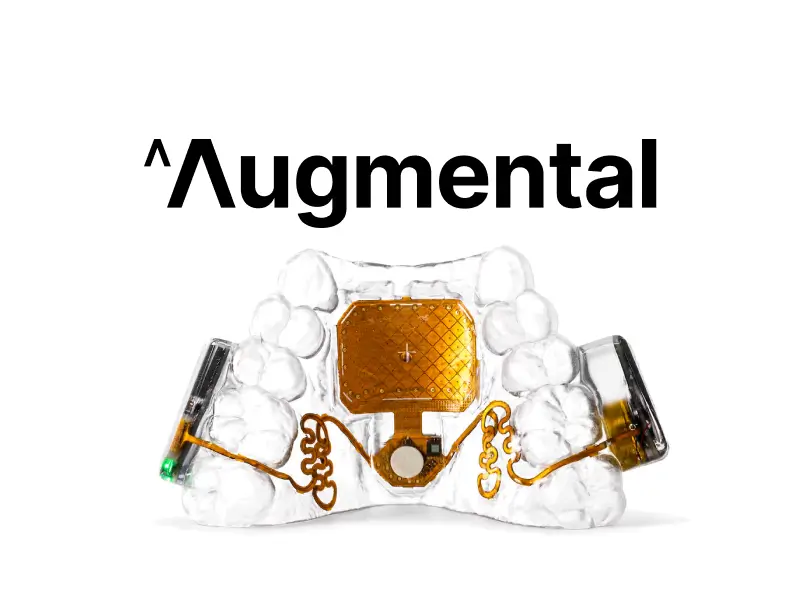
The MouthPad is a custom-fit device worn inside the mouth.
Instead of moving a physical mouse with your hand, players can use tongue and head movements to control a cursor.
The device can translate tongue and head movements into actions such as cursor movement, clicking, scrolling and dragging. It connects wirelessly to computers and other compatible devices.
For someone who cannot comfortably use a conventional mouse, that could provide another way to interact with a PC.
And importantly for gamers, Augmental says the MouthPad is already being used by gamers, alongside people using it for work, school and everyday computing.
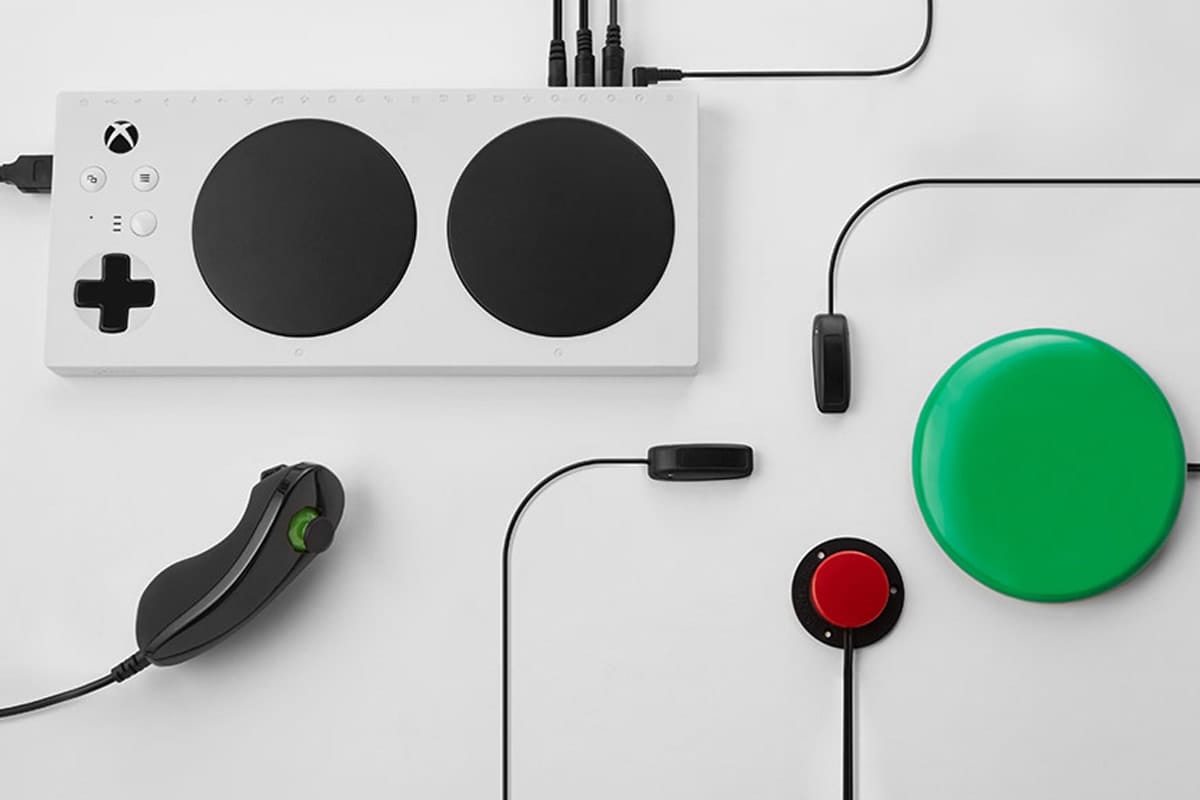
Gaming Without a Traditional Mouse
The interesting part for gamers is that the MouthPad isn't limited to basic cursor movement.
Augmental's newer version can remap its trackpad to WASD controls for gameplay and 3D modeling, while tongue gestures can also trigger custom keyboard shortcuts.
That potentially opens up a different style of PC gaming.
Instead of thinking:
Keyboard → Mouse → Hands
players can potentially build a control scheme around:
Tongue → Head → MouthPad
The exact experience will depend heavily on the individual player, the game and how the controls are configured.
Custom Controls Could Be the Key
Accessibility isn't always about finding one controller that works for everyone.
Different players have different ranges of motion, strengths and limitations.
The MouthPad is designed around customization.
Its companion software allows users to adjust settings such as cursor mode, click strength, touch sensitivity, cursor speed and scroll speed. Settings can also be stored on the device.
That flexibility matters because a control scheme that works for one player might not work for another.
What About Games That Use WASD?
This is where the technology becomes particularly interesting for PC gaming.
Many games rely heavily on WASD movement.
Augmental says the current MouthPad can be configured for WASD controls, allowing tongue gestures to interact with gameplay controls rather than simply moving a standard mouse cursor.
That doesn't mean every game suddenly becomes accessible.
A complex game might require dozens of buttons, rapid combinations or extremely precise simultaneous inputs.
But games with customizable keybindings could offer more opportunities for players to experiment with alternative control layouts.
A Potential Option for Indie Games
Indie developers can play an important role here.
Large AAA games often have enormous control systems built around conventional input devices.
Indie games sometimes have more flexibility.
Developers can decide how many actions require simultaneous inputs, whether controls can be remapped, whether important functions can be triggered with a single button, and whether alternative input methods are supported.
For developers building accessibility features, devices such as the MouthPad are another reminder that "keyboard and mouse" shouldn't be treated as the only possible input configuration.

Accessibility Starts With the Game
An alternative controller can help, but developers still have an important role to play.
A game can become significantly easier to adapt when it includes:
- Fully remappable controls
- Separate movement and camera controls
- Adjustable input sensitivity
- Toggle options instead of requiring button holds
- Customizable mouse controls
- Reduced need for simultaneous button presses
- Adjustable reaction-time requirements
- Clear visual and audio feedback
- Pause options during gameplay
These features can benefit players using adaptive hardware, but they can also help players using conventional controllers.
That's one of the reasons accessibility options are valuable even when they're designed for a specific group.
Designed Around Different Abilities
Augmental says its approach starts with people who have the greatest need, including people living with quadriplegia, ALS, spinal cord injuries and severe motor limitations.
The company's broader goal is to create what it calls Skinware — interfaces that use the body itself as part of the interaction system.
The MouthPad represents the input side of that idea.
A companion product called VOX approaches text input through a wearable microphone that can capture quiet speech, giving users another way to communicate with computers.
Together, the products are designed to reduce reliance on traditional hand-based interaction.
Not Every Player Will Be a Candidate
The MouthPad isn't a universal solution.
Augmental says the device is best suited to people over 18 with sufficient tongue dexterity, good oral health and no ongoing dental or orthodontic treatment. An intraoral 3D scan is required to create the custom fit.
The company also states that the MouthPad and VOX are not medical devices and aren't intended to diagnose, treat, cure or prevent medical conditions.
Players should therefore consider their own circumstances and consult an appropriate professional if they have questions about whether an intraoral device is suitable for them.
Accessibility Can Create More Players
The most interesting thing about adaptive gaming technology isn't simply the hardware.
It's what happens when the hardware gives someone another way into a game.
A player who previously couldn't use a mouse might be able to navigate a PC.
Someone who couldn't comfortably hold a controller might be able to experiment with a different input method.
And a developer who thinks about alternative controls from the beginning can potentially make their game available to a much wider audience.
The Bigger Picture
The MouthPad isn't going to replace the mouse, keyboard or game controller.
It doesn't need to.
Accessibility isn't about finding one perfect controller for everyone.
It's about giving players more ways to play.
For gamers with limited hand mobility, the MouthPad represents an intriguing alternative: a custom-fit interface that can turn tongue and head movements into computer input, with configurable controls that can potentially be adapted for gaming.
For indie developers, it's also a reminder that the next player to discover your game might interact with it in a completely different way than you expected.
Learn more about Augmental and the MouthPad: Augmental
Editor's note: This article is intended as an accessibility and gaming-technology feature, not medical advice. Compatibility and suitability vary by player and game.