

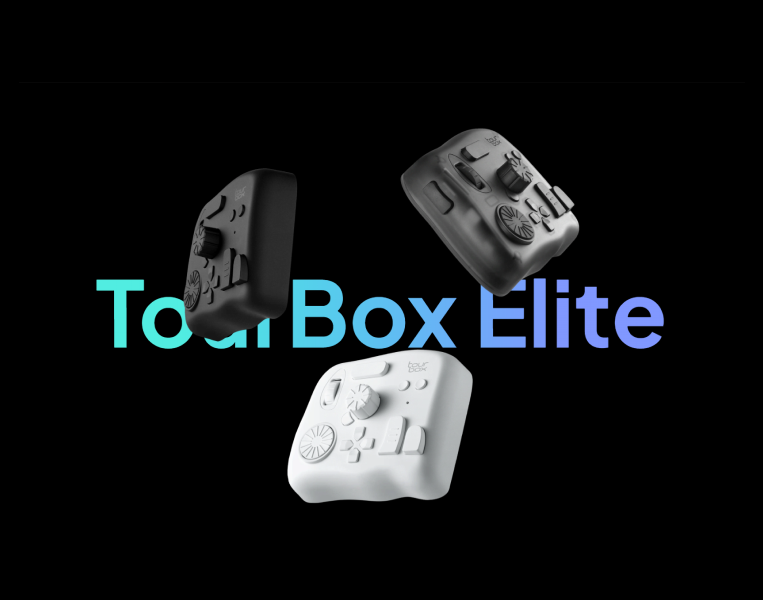
For indie developers, artists, and solo creators, the keyboard and mouse aren't always the fastest way to work. TourBox Elite offers a different approach: put frequently used creative controls directly under your hand.
Indie game development often means wearing several hats.
One day you're editing concept art. The next you're adjusting colors, cutting a trailer, retouching screenshots, or preparing promotional assets for your Steam page.
And while the keyboard and mouse can handle almost anything, repeatedly reaching for shortcuts, dragging sliders, scrolling through menus, and switching between tools can interrupt the creative process.
That's where the TourBox Elite comes in.
A Creative Console for One-Handed Control
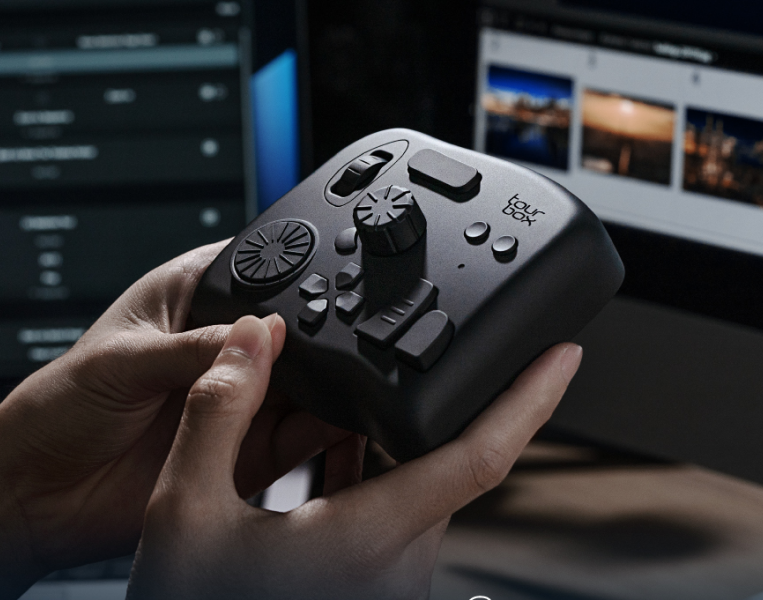
The TourBox Elite is a Bluetooth creative console designed around one-handed operation.
Instead of relying entirely on keyboard shortcuts and mouse movements, creators can assign functions to its buttons, dials, wheels, and controls.
The idea is simple: keep your most frequently used actions physically accessible while your eyes stay focused on the work.
TourBox says the system is designed for photo editing, video editing, digital painting and other creative applications, with customizable presets, macros, mouse actions and application integrations.
For an indie developer, that could mean creating a dedicated control layout for different parts of the workflow.
Built Around Your Workflow
The interesting part of TourBox isn't simply the hardware.
It's the software behind it.
The TourBox Console allows users to customize buttons and assign keyboard shortcuts, mouse actions, macros and built-in functions. Presets can also be switched automatically depending on the application being used.
That opens up plenty of possibilities.
For example, an indie game artist could create different presets for:
- Concept art
- Texture editing
- Screenshot preparation
- Video editing
- Color grading
- Promotional artwork
Instead of remembering dozens of keyboard combinations, frequently used actions can be assigned to physical controls.
Multi-Dimensional Controls
TourBox isn't limited to simple button presses.
Its controls support actions such as clicking, scrolling, rotating, turning and combining multiple inputs.
The company also supports macros, allowing several commands to be executed from a single control.
That can be particularly useful for repetitive creative tasks.
A complicated sequence of commands that normally requires several keyboard and mouse interactions can potentially be reduced to one customized action.
Tactile Feedback Without Looking Down
One of the more distinctive aspects of the TourBox design is tactile feedback.
The physical controls are designed to give the user a sense of where they are operating without constantly looking down at the controller.
That's useful when you're trying to maintain visual focus on an image, timeline or editing workspace.
TourBox specifically positions the Elite around eye-free control, with tactile feedback intended to make its controls easier to operate by feel.
For creators working long sessions, that small difference can make the workflow feel more natural.
TourMenu: Put More Tools Behind One Button
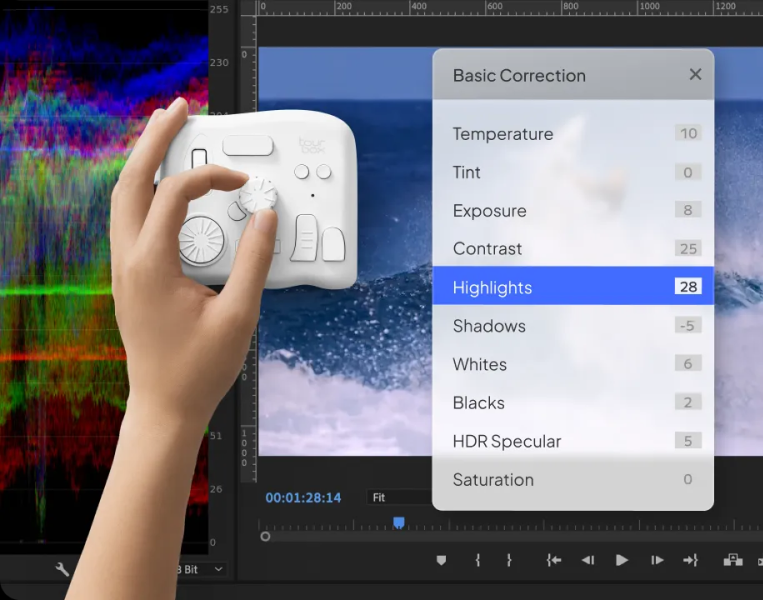
TourMenu provides another layer of customization.
Users can create a menu containing shortcuts, built-in functions and macros, then access those commands through a single assigned control.
Think of it as a customizable toolbox sitting behind one physical button.
For example, an indie developer could create a TourMenu containing commonly used commands for asset preparation, image editing or video production.
HUD Keeps the Controls Visible
Remembering every custom shortcut can take time.
TourBox's HUD addresses that problem by displaying mapped commands on screen.
The HUD can show the commands assigned to the directional pad, and its position, size and opacity can be customized.
That means new users don't necessarily have to memorize their entire setup immediately.
You can keep the visual reminder available while learning your preferred layout.
Dynamic Panel for Color Work
For creators working on game screenshots, trailers and promotional artwork, color grading can become a surprisingly repetitive process.
TourBox's Dynamic Panel is designed to bring frequently used controls into a customizable interface while allowing creators to keep more of the image visible.
The current system includes features for Lightroom and Lightroom Classic, including controls for color grading, tone curves, cropping and color adjustment.
For example, the Dynamic Panel can allow creators to adjust HSL controls using the TourBox's physical controls rather than repeatedly hunting through software panels.
Designed for Creative Software
TourBox supports presets and integrations for a wide range of creative applications.
Its official materials highlight software including:
- Adobe Photoshop
- Adobe Lightroom
- Adobe Premiere Pro
- DaVinci Resolve
- Capture One
- Clip Studio Paint
- Final Cut Pro
- Google Chrome
- Safari
The company also provides user-created presets for additional applications, while users can build their own configurations for software that relies on keyboard shortcuts.
For an indie studio, this flexibility could be more useful than having a controller dedicated to just one application.
A Different Kind of Creative Peripheral
The TourBox Elite isn't trying to replace the keyboard, mouse or graphics tablet.
Instead, it sits alongside them.
For an indie game creator, the setup could look something like:
Graphics tablet + keyboard + mouse + TourBox Elite
The tablet handles drawing.
The mouse handles navigation.
The keyboard handles text and traditional shortcuts.
The TourBox handles frequently repeated creative controls.
That division can make sense for creators who spend hours performing the same adjustments repeatedly.
The Indie Developer Use Case
For a large game studio, shaving a few seconds from a repetitive task might not seem significant.
For a solo developer, it can add up.
An indie developer might create hundreds of screenshots, promotional images, thumbnails, social assets and video clips during development.
The more repetitive the workflow becomes, the more valuable customizable controls can potentially become.
TourBox's approach is essentially to turn those repeated actions into physical controls that can be customized around the creator's personal workflow.
Is TourBox Elite Worth Looking At?
The TourBox Elite makes the most sense for creators who spend significant time inside creative software and frequently rely on keyboard shortcuts, sliders, scrolling and repetitive adjustments.
It may be unnecessary for someone who primarily works with a keyboard and mouse and doesn't mind switching between tools.
But for an indie developer who also works as an artist, editor, photographer or content creator, the ability to build application-specific presets and macros makes the concept considerably more interesting.
The biggest attraction isn't simply having another piece of hardware on the desk.
It's being able to build a control system around the way you actually work.
More Than a Shortcut Box
TourBox has expanded the concept beyond simple shortcut mapping with TourMenu, macros, HUD functionality, application integrations and Dynamic Panel features.
For indie creators juggling development, art, video and marketing, that flexibility could make the TourBox Elite an interesting addition to the creative workstation.
Learn more about TourBox Elite and its creative consoles: TourBox Official
Editor's note: This article is promotional/product-focused content. Feature descriptions are based on TourBox's published product information; suitability will depend on each creator's software and workflow.