

For indie game developers, content creators, and streamers, the hardest part of a modern creative workflow isn't always the software. Sometimes, it's managing everything at once.
Your game engine is open. OBS is running. Discord is active. Music is playing. You're recording gameplay, capturing footage, adjusting audio, switching scenes, and probably trying to remember a dozen keyboard shortcuts.
The Loupedeck Live S was designed to make that juggling act easier by putting frequently used controls into a compact physical console.
A Small Console Built Around Your Workflow
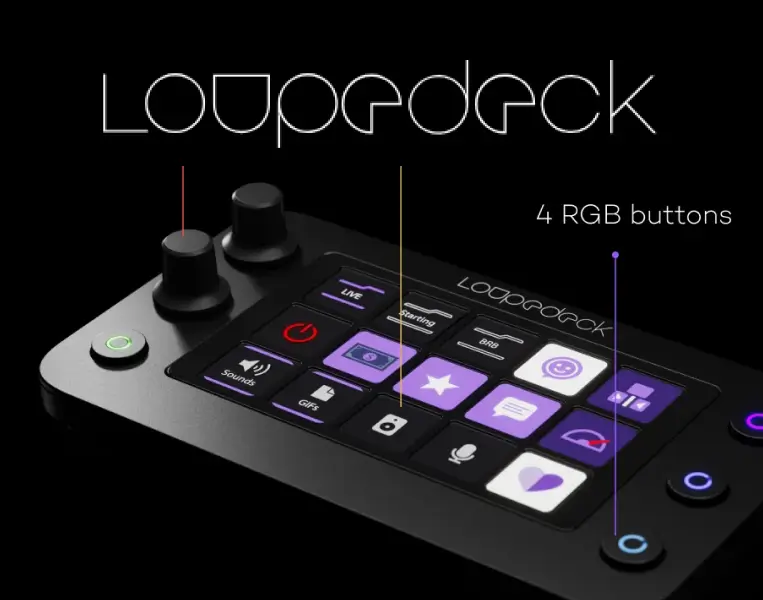
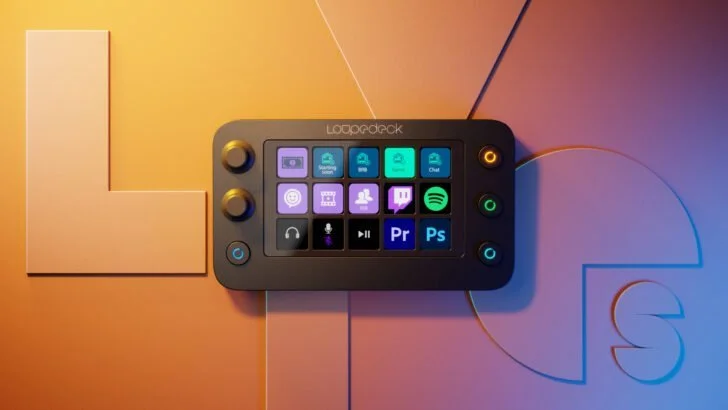
The Loupedeck Live S combines 15 touch-sensitive buttons, four RGB buttons, and two analog dials. The touch buttons provide haptic feedback, while the dials can be assigned to functions such as volume or other application controls.
The interesting part isn't simply the number of controls. It's how customizable they are.
You can create layouts for different applications and workflows, switching between pages with a swipe. The touch interface supports up to 14 pages of controls, giving the relatively small device considerably more functionality than its footprint suggests.
For an indie creator, that could mean one page for streaming, another for video editing, another for your development workflow, and another for everyday productivity.
Why Indie Game Creators Could Find It Useful
Indie development often means wearing several hats.
You might spend the morning working on a game, the afternoon recording a development update, and the evening streaming the latest build.
A programmable control surface can help reduce the friction between those activities.
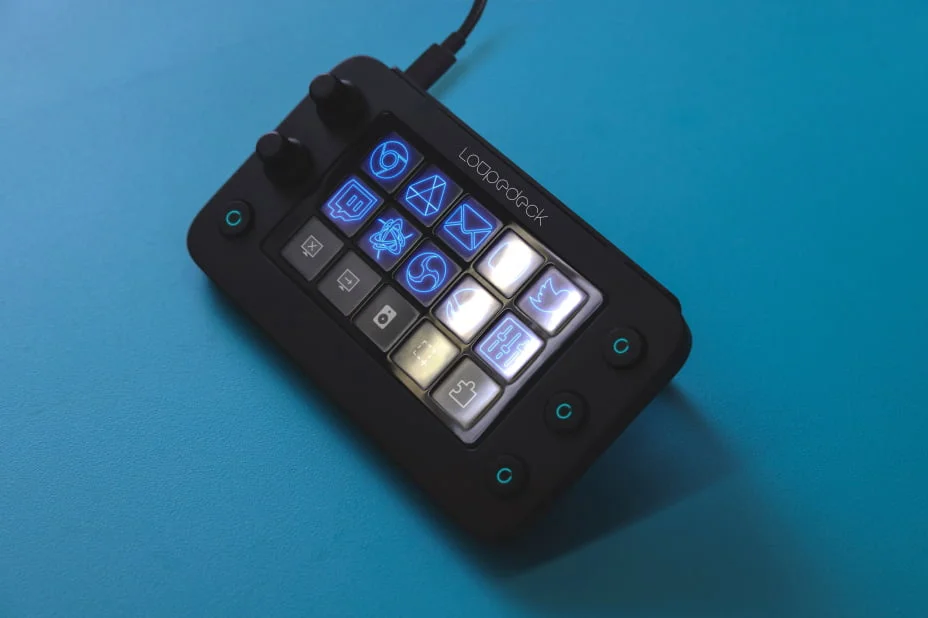
For example, you could configure buttons to:
- Launch OBS
- Switch streaming scenes
- Mute your microphone
- Control audio levels
- Open frequently used applications
- Trigger macros
- Control media
- Execute keyboard shortcuts
- Organize repetitive editing actions
Loupedeck supports native integrations for applications including OBS, Twitch, Streamlabs on Windows, Adobe Premiere Pro, Photoshop, After Effects, Lightroom Classic, Final Cut Pro, Ableton Live, Spotify and more.
That makes the Live S particularly interesting for creators who move between game development, video production and streaming rather than using it exclusively as a streaming deck.
Turning a Streaming Setup Into a Production Setup
Streaming is probably the most obvious use case.
The Live S can be configured to control scenes, audio sources and other streaming actions while keeping the keyboard and mouse focused on the game or application. Loupedeck also supports custom actions, macros and profiles, allowing creators to build controls around their individual setups.
For an indie developer streaming their own game, this can be useful.
Instead of reaching across the desk to change a scene or mute a microphone, a dedicated control can sit next to the keyboard.
That matters when you're trying to maintain the flow of a live stream.
Logitech also introduced a Streamlabs plugin specifically for Loupedeck Live and Live S, adding controls for Streamlabs audio and customizable actions such as going live, switching scenes and posting chat greetings.
It's Not Just for Streaming
One of the Live S's biggest advantages is that it isn't locked into a single purpose.
The console supports creative applications and productivity workflows as well. Loupedeck's software allows users to create custom profiles for applications, while Dynamic Mode can automatically switch profiles based on the application being used.
For someone working on an indie game, this could create a simple workflow:
Game engine → recording → editing → publishing → social media
Each stage can have its own controls.
You could have shortcuts for your recording software while developing, editing controls when preparing a trailer, and publishing or productivity shortcuts when preparing your next game update.
Physical Dials Still Have an Advantage
Touchscreens are convenient, but physical controls can be particularly useful when you need to make adjustments without looking away from your main screen.
The Live S's two analog dials can be assigned to different functions, while their press functionality can be used for additional commands.
This is particularly useful for audio.
During a stream, you might want one dial dedicated to your microphone and another to game or desktop audio.
Instead of opening a software mixer and searching for the correct slider, the adjustment is physically within reach.
A Compact Desk Companion
The Live S measures 150 × 85.5 × 30 mm and weighs approximately 168 grams, making it considerably smaller than many full-size control surfaces. It connects via USB-C, with an included USB-C cable and USB-A adapter.
For indie developers working from smaller desks—or creators who occasionally move between workstations—that compact footprint is appealing.
It also comes with a detachable 35-degree stand, although some reviews have criticized the stand's sturdiness.
The Loupedeck Live S may no longer be the future of Loupedeck's hardware lineup, but it remains an interesting example of how a small piece of creator hardware can turn a complicated indie workflow into something much more manageable.