
As indie developers, your time and focus are precious whether you’re coding gameplay systems, crafting pixel-perfect art, or polishing animations. Tools that streamline repetitive tasks or make interaction more intuitive can significantly boost productivity and reduce fatigue.
One such tool gaining traction among digital creators is the TourBox Elite Bluetooth Controller originally designed for photo and video editing but remarkably adaptable to game development workflows.
What Is the TourBox Elite?
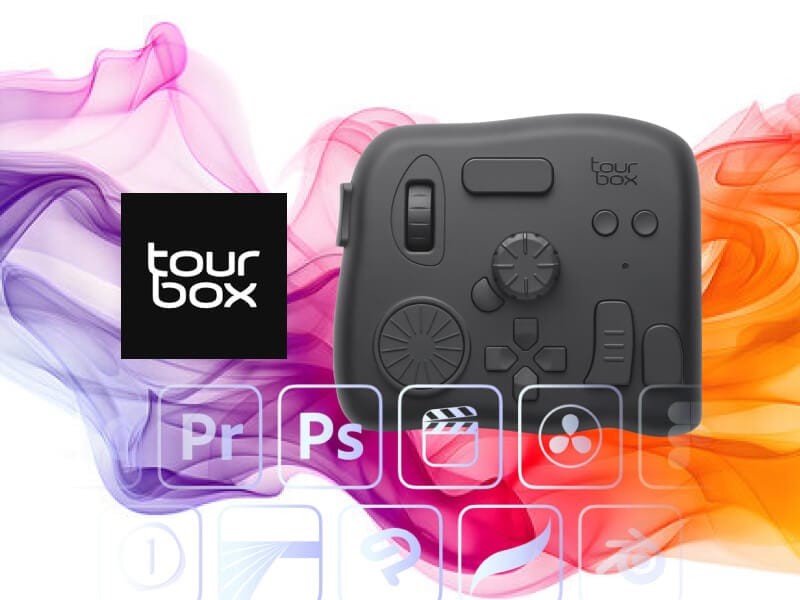
The TourBox Elite is a compact, ergonomic controller with dials, knobs, scroll wheels, and buttons that you can assign to perform almost any keyboard or mouse action. It connects via Bluetooth or USB and works on Mac and Windows systems.
Key Features at a Glance
- Highly Customizable Controls — assign shortcuts and macros to buttons, dials, and wheels.
- Dual‑Channel Bluetooth — pair with two devices simultaneously and switch between them.
- Ergonomic One‑Handed Design — keeps essential commands close while you work.
- Haptic Feedback for tactile response on rotations and clicks.
- Works with custom presets, community configurations, and any shortcut‑driven software.
How It Helps Indie Game Devs
Even though TourBox Elite is marketed mainly for creatives (photo editing, video editing, digital art), its customization potential means it can be a powerful addition to game development workflows too. Here’s how:
1. Streamlining Art and Animation Tools
Game development often involves creative suites (like Photoshop, Krita, or Blender). With TourBox Elite, you can assign:
- Brush size adjustments
- Timeline scrubbing
- Zoom and rotate canvas
- Frame stepping
…all to dedicated tactile controls instead of memorizing shortcuts.
This lets you keep one hand on the mouse or stylus while the other navigates controls reducing friction during long art or animation sessions.
2. Improved Workflow for Level Design Tools
Level editors (Unity, Godot, Unreal) have tons of shortcuts. You could map TourBox buttons to things like:
- Undo/Redo
- Move/Rotate/Scale tool toggles
- Play/Pause game preview
- Switch editor windows
…saving time and reducing context switching. Custom macros could even trigger multi‑step actions.
3. Faster Debugging & Build Tasks
In a dev environment, keyboard shortcuts are everywhere compile, open console, step debugging, search definitions, etc. A controller like TourBox Elite lets you assign recurring commands to physical buttons, helping reduce repetitive strain and keep your hands where you need them.
4. Useful Beyond Creative Software
TourBox Elite isn’t limited to creative apps it can control any program that uses keyboard shortcuts, including code editors, browsers, and version control interfaces. That makes it a flexible companion across your entire game development pipeline.